For club members
Your permit, your waters and your club's news
If your club uses Rollcast, this is what you can do on your phone or computer, and how to sign in.
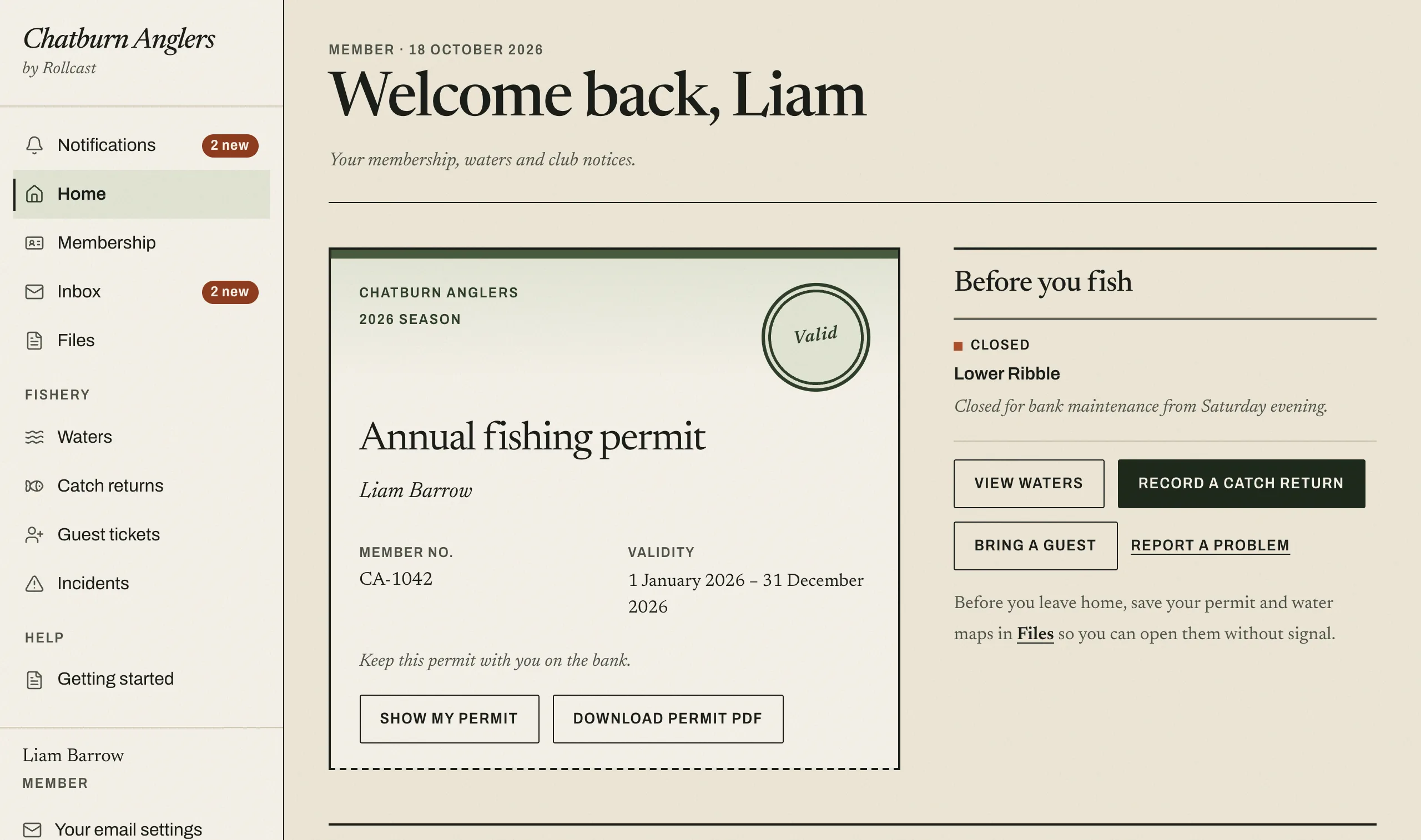
What you can do
Show your permit on the bank
Your home page shows this season's permit with a QR code. Show it to a bailiff on your phone, or print it at home.
Check the water before you travel
Read each water's rules, parking and access, and look at its map. If a stretch is closed, the reason is written out.
Record a catch or a nil return
After fishing, record what you caught. If you caught nothing, a nil return takes a moment and tells the club you went.
Read your club's notices
Notices from the committee stay in your Rollcast inbox, so you can find them again. If you have not read one, we email you to say it is waiting.
Report a problem
Tell the committee about pollution, a blocked access or a safety problem, straight from the bank.
Save files for a day without signal
Download your permit and water maps to your phone before you leave home. How to save files.
Signing in
- Go to rollcast.co.uk and choose Sign in.
- Enter the email address your club holds for you.
- Keep that page open. Look for our email and type the six-digit number from it.
There is no password to remember. If you belong to more than one club, choose the one you want.
Step-by-step guide to signing inPaying your subscription
You still pay the club as you always have. When the committee records your payment, your permit appears in Rollcast.
Questions about your membership, your subscription or fishing access go to your club committee.
Questions members ask
Do I need a smartphone?
No. Rollcast works on a computer or tablet too, and you can print your permit and water maps at home.
Is there an app to download?
No. Rollcast is a website, so there is nothing to download or install. Open it in the web browser on your phone, tablet or computer and sign in.
I have not received the sign-in email
Check your junk or spam folder, and make sure you typed the email address your club holds for you. The number works for fifteen minutes. If it runs out, ask for a new one.
Who do I ask about my membership?
Your club committee looks after memberships, subscriptions and permits. For help with the website itself, see Help & contact.
More help: Getting started guides and Help & contact.
Joining a club that uses Rollcast
Open the joining link or scan the QR code from your club's committee, or type the club's joining code, then send your application. The committee reads it and lets you know their decision by email.
Is your club not on Rollcast yet?
Show this page to your secretary or committee. The page for committees explains what Rollcast does for the club and what it costs.
To see what members see first, look around the member pages without an account.